
Work with a customer conversation
Select a conversation, review its context, reply, and record the next action.
Before replying
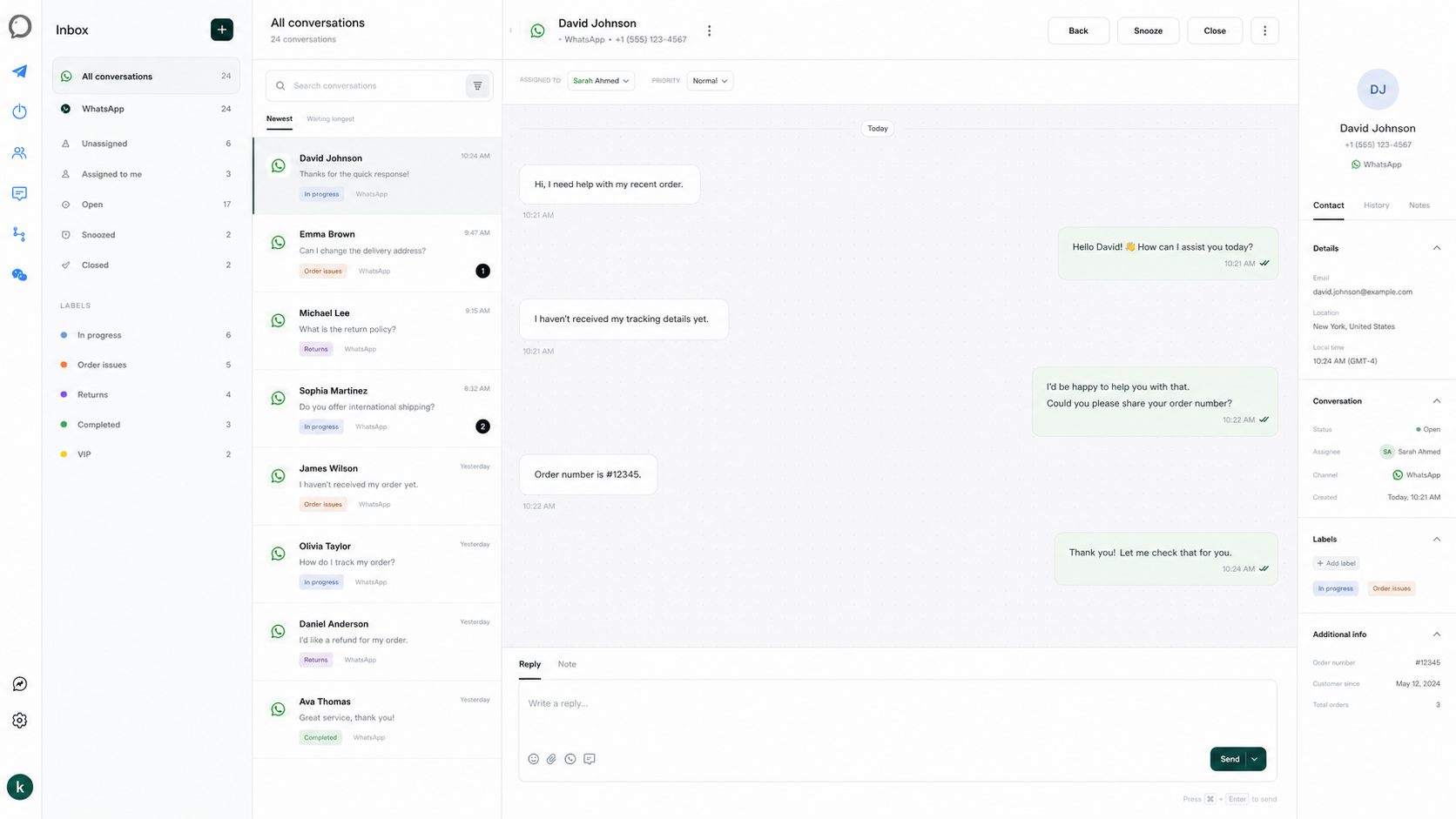
- Open the appropriate Inbox view.
- Select the customer conversation from the queue.
- Review earlier messages and the channel shown with each exchange.
- Check the customer details, current owner, team, labels, priority, and status.
- Confirm that you have enough context to answer consistently.
Send a reply
Use the reply composer in the active conversation. Your reply becomes part of the shared thread so the next team member can see what was communicated.
Complete the operational action
After responding, update ownership, priority, labels, or conversation status when the next action has changed. This keeps the queue useful for the whole team.
Note
Only send information that is appropriate for the customer and the active channel.