
هذه المقالة متاحة باللغة الإنجليزية حاليًا.
InboxInbox overview
Understand the conversation queue, active thread, and customer context areas.
A shared service workspace
The Inbox is the central Kinsen workspace for customer messaging. It combines a conversation queue, the selected customer thread, reply tools, and customer context so an operator can act without switching between disconnected systems.
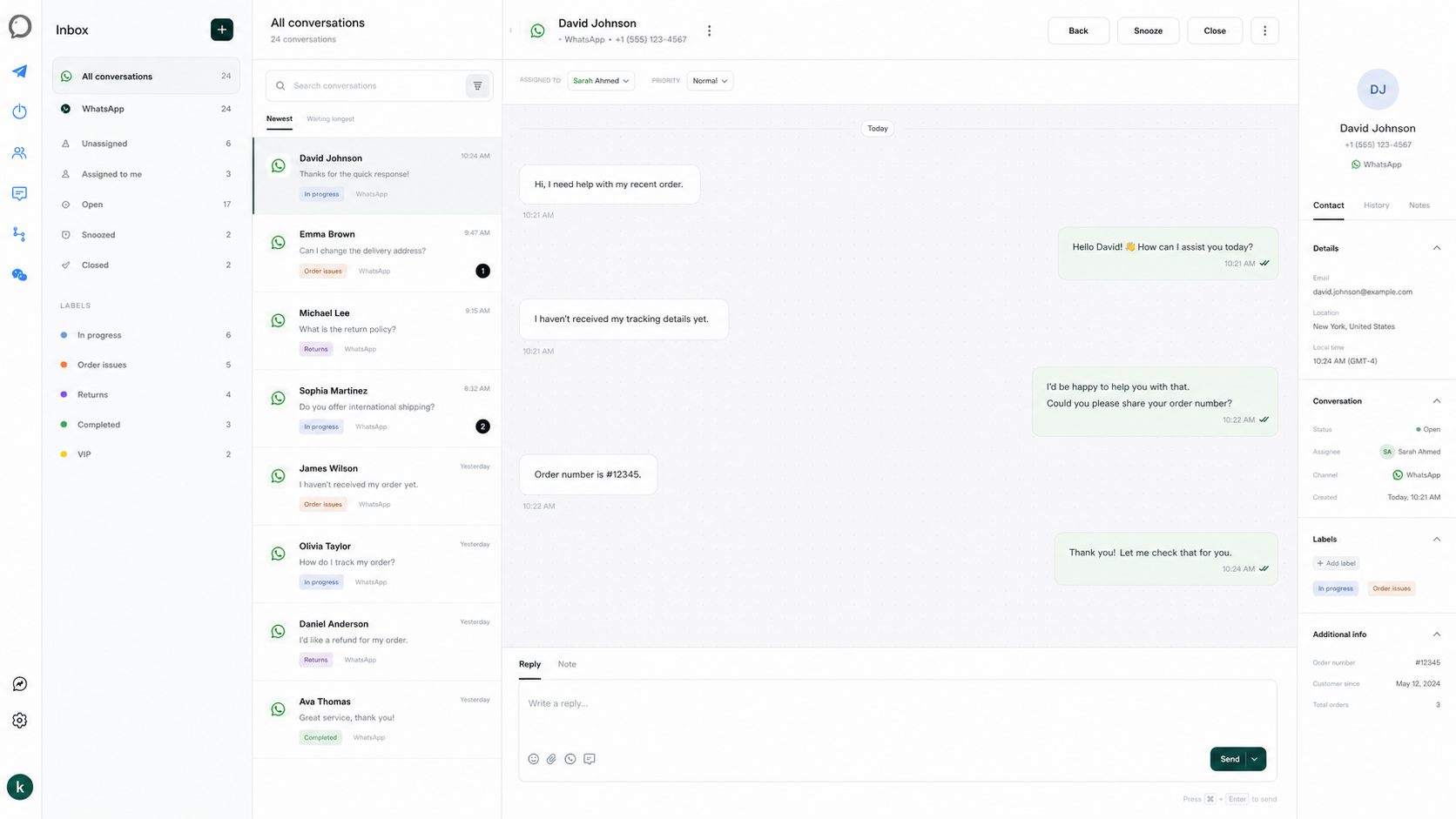
Common Inbox views
- All: conversations available under your permissions
- Unassigned: conversations without an individual owner
- Mine: conversations assigned to you
- Open: conversations that still require attention
- Closed: completed conversations
- Custom inboxes: saved views created for a specific operational need
Visibility is permission-based
Agents may be limited to conversations assigned to them, conversations belonging to their team, or all Inbox conversations. Managers and Owners can have broader visibility.